What is an LMS (Learning Management System) — and Why Do You Actually Need One?
4/26/2026
6 min read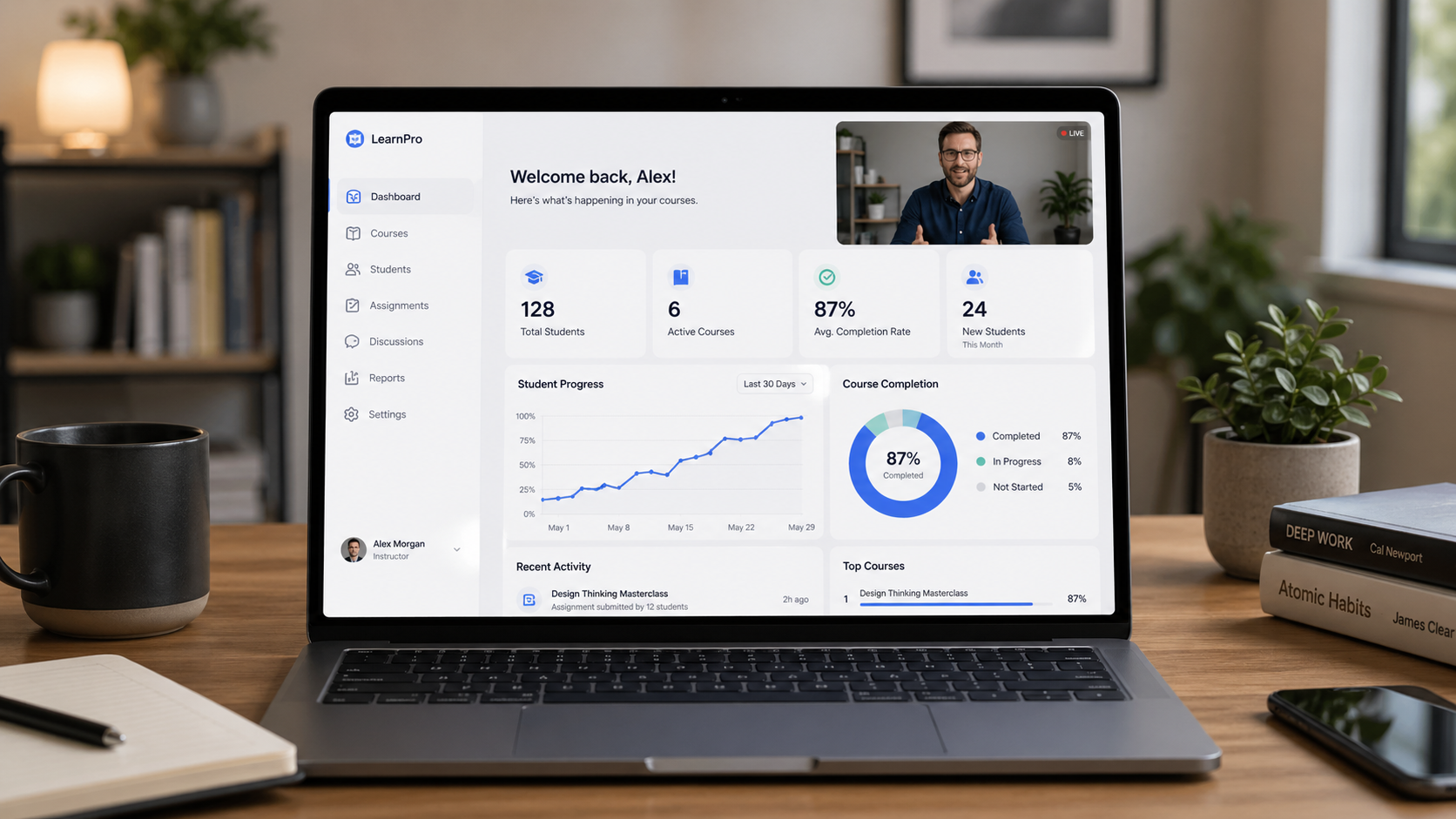
What Is an LMS and Why Do You Need One to Sell an Online Course?
Why this matters
Many people start with the idea of creating an online course because they want to share their knowledge, build a digital product, or create residual income from something they already know well.
That is a great starting point. But once the course content is created, there is another important question:
Where does the course actually live?
A collection of videos, PDFs, quizzes, and downloads is not automatically a course business. To sell a course professionally, you need a system that can deliver the content, manage learner access, track progress, collect payments, and create a smooth experience for the student.
That system is usually called an LMS.
What is an LMS?
LMS stands for Learning Management System. In simple terms, an LMS is the platform that manages your online learning experience.
Think of it as your online school.
An LMS can help you:
- Organize your course into lessons and modules
- Allow learners to create accounts and log in
- Control who has access to paid content
- Track learner progress and completion
- Deliver quizzes, assignments, certificates, or downloads
- Support payments, memberships, subscriptions, or bundles
Without an LMS, you may have valuable content, but you do not yet have a structured learning environment.
The LMS turns your content into a course experience.
An LMS is more than course hosting
One common mistake is thinking that an LMS is just a place to upload videos.
It is more than that.
You can upload videos to YouTube, Vimeo, Google Drive, or a private webpage. But those tools do not automatically create a complete learning experience. They do not always handle enrollment, learner dashboards, progress tracking, certificates, course access rules, or payment workflows in the way a course seller usually needs.
An LMS gives structure to the learning journey. It helps the learner understand where they are, what they have completed, what comes next, and what they receive when they finish.
For someone selling a course online, that structure matters because it affects how professional the course feels.
A course is not just the content. It is the experience around the content.
Why this matters when selling online courses
If your goal is to create residual income from a course, the LMS becomes part of the business model.
You need a way for someone to discover your course, purchase it, receive access, move through the lessons, and ideally complete the course without you manually managing every step.
A good LMS can support that process by giving you:
- A course landing page
- Checkout or payment integration
- Automated enrollment
- Student login access
- Lesson progress tracking
- Certificates or completion records
- Email notifications or automations
- Reporting and learner management tools
This is especially important if you want the course to sell while you are not personally involved in every transaction.
The more automated the learner journey is, the more scalable your course business can become.
Using LearnWorlds as a full online school
LearnWorlds is an example of a hosted LMS platform. This means the school, course player, user accounts, checkout tools, and many administrative features are all part of one platform.
For many course creators, this can be a strong option because it allows the LMS to operate as a full turnkey online school.
With a platform like LearnWorlds, you can build a branded school website, create course pages, upload learning content, manage students, issue certificates, and connect payment tools without needing to build the entire system from scratch.
This can be helpful for someone who wants a dedicated course platform instead of trying to piece together many different tools.
LearnWorlds can work well when you want:
- A full online school experience
- Built-in course selling features
- Student dashboards and course access
- Certificates and completion tracking
- A platform that can stand on its own
In this setup, the LMS can become the main website for the course business.
Using LearnDash with WordPress
LearnDash is a different type of LMS solution. Instead of being a fully hosted school platform, LearnDash is a WordPress LMS plugin.
This means it can be added to an existing WordPress website, allowing the course area to live inside your current site.
For example, someone may already have a website for their business, coaching practice, consulting service, or personal brand. Instead of sending learners to a completely separate school platform, they may want to add a course section directly to their existing website.
That is where a WordPress LMS like LearnDash can be useful.
LearnDash can work well when you want:
- Your LMS to be part of your existing WordPress site
- More control over the website experience
- Custom branding and page layouts
- Integration with WordPress plugins
- More flexibility in how the course business is structured
The tradeoff is that WordPress-based LMS setups often require more technical configuration. You may need to think about hosting, themes, plugins, payment tools, user roles, email delivery, security, updates, and long-term maintenance.
In this setup, the LMS becomes the school portion of your existing website.
The administrative side of an LMS
One of the biggest surprises for first-time course creators is how much administrative setup is involved.
Creating the course content is only one part of the project. The LMS also needs to be configured so learners can actually use it.
Depending on the platform, this may include:
- Setting up course categories and lesson structures
- Creating sales pages or course landing pages
- Connecting Stripe, PayPal, WooCommerce, or another payment system
- Configuring user registration and login
- Setting course access rules
- Creating certificates
- Setting up email notifications
- Testing the purchase and enrollment process
- Checking mobile responsiveness
- Making sure learners can easily find and continue their course
This is why choosing an LMS is not just a software decision. It is a business operations decision.
If the setup is confusing for learners, the course may feel less professional even if the content itself is strong. If the setup is clean, the learner can focus on the learning instead of fighting the technology.
The LMS should support the course, not distract from it.
Choosing the right LMS approach
There is no single perfect LMS for everyone. The right choice depends on your goals, budget, technical comfort level, and how much control you want over the final experience.
If you want a full online school that can operate as its own branded course website, a hosted platform like LearnWorlds may be a good fit.
If you already have a WordPress website and want to add a course area to it, a plugin like LearnDash may make more sense.
Either way, the most important thing is to understand that the LMS is not just a place to store content. It is the system that connects your content, learners, payments, progress tracking, and overall course experience.
For anyone trying to sell a course online, that system matters.
Your course content teaches. Your LMS delivers, protects, tracks, and scales the experience.
If you are planning to build an online course and are not sure whether LearnWorlds, LearnDash, or another LMS is the right fit, I can help you think through the course structure, learner experience, and platform setup before you commit to a build.
Contact me to discuss your online course project.
Related Posts
How I’d Adapt a Credit Score Course for Workplace Financial Wellness
A credit score course can explain the basics, but business buyers often need more than information. Here’s how I’d adapt this topic for workplace financial wellness with two practical feature upgrades that support learner confidence and real-world application.
How I’d Adapt a Job Search Course for Workforce Readiness
A basic job search course can inform learners, but business buyers usually need more than information. Here’s how I’d adapt this course with two practical feature upgrades that support rehearsal, reflection, and better on-the-job relevance.
How I’d Turn Time Management Essentials Into Better Workplace Training
A solid time management course covers the basics. For business buyers, the real question is how to make those lessons stick at work. Here’s how I’d adapt this course with two targeted feature upgrades.
Ready to map your custom course upgrade?
Book a discovery call to plan a practical rollout for your team.
Contact Adam